
Dear Valued Patients,
We wanted to inform you of an important update regarding the payment process for patients under the Chronic Disease Management Plan (formerly Enhanced Primary Plan EPC) starting from 1st July 2023.
As part of Medicare Compliance requirements, it is now mandatory for all patients under the Chronic Disease Management Plan to pay an upfront fee of $76 for Chronic Disease Management services. However, we want to assure you that Medicare will reimburse approximately $58 directly to your nominated bank account, which should be linked to your online Medicare account.
To ensure a smooth reimbursement process, we kindly request that you follow the instructions below to register for a myGov account and link your Medicare account:
How to Create a myGov account:
- Go to myGov (https://my.gov.au/en) and select Create account.
- Select Continue with email.
- Agree to the terms of use and the privacy notice, select Next.
- Enter an Email address and select Next.
- Enter the Code sent to your email, then select Next.
- Enter your Mobile number (optional) and select Next.
- Enter the Code sent to your mobile phone and select Next.
- Enter a Password and then Re-enter password.
- Create your 3 Secret questions and answers. Choose from the list or create your own.
If you need more help, go to https://my.gov.au/en/about/help/mygov-website/create-mygov-account
How to link Medicare to your myGov account:
Follow these steps to link Medicare to myGov:
- Sign in to myGov.
- Select View and link services.
- Select Link on the Medicare tile.
- If your details are already recorded in myGov, they need to match your Medicare record. Select Continue. If you’re linking the Australian Taxation Office, Centrelink or Medicare for the first time you’ll need to agree to myGov storing your personal details. Select I agree.
- You can link Medicare using your Medicare card details or a linking code. Select the best option for you, then select Next.
- Enter your Medicare card number and personal details or your linking code. Select Next.
Link Medicare to MyGov using a linking code https://www.servicesaustralia.gov.au/mygov-help-link-medicare-to-mygov-using-linking-code
Link Medicare to myGov with your Medicare card https://www.servicesaustralia.gov.au/mygov-help-link-medicare-to-mygov-with-your-medicare-card
Update Bank Account on Medicare Portal
- Sign in to myGov.
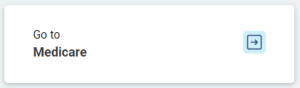
- Click on “Go to Medicare”

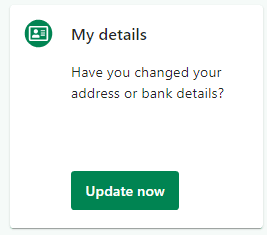
- Click on “My details”

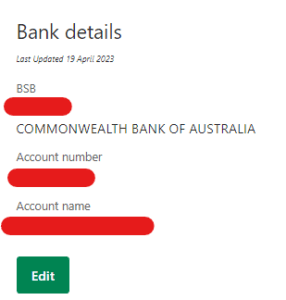
- Scroll down to Bank details and click Edit

We understand that this change may cause some inconvenience, and we sincerely apologise for any disruption it may cause. However, complying with Medicare regulations is essential for us to continue providing you with the highest quality care and maintaining our commitment to excellence.
We appreciate your understanding and cooperation in this matter.
Once again, we would like to express our gratitude for your ongoing support. Your trust in our services is greatly valued, and we remain dedicated to delivering exceptional care and service to meet your healthcare needs.
Complete Allied Health Care
29th May 2023